Are you tired of scrolling through endless apps and finding the perfect tool to edit your photos and videos? In today’s digital age, smartphones have revolutionized capturing moments and memories. But why stop at just capturing them when you can enhance them too? Whether you’re a social media enthusiast or want to elevate your photography skills, this blog post will guide you through the amazing world of editing photos and videos on your smartphone. Get ready to unlock your creativity with these tips, tricks that will transform your content from ordinary to extraordinary, all at the touch of a screen!
Tips For Capturing Great Photos And Videos
Here are tips:
Find the best lighting.
Natural light is always the most flattering option. Try standing near a window or stepping outside for your selfie session. Avoid harsh overhead lighting or fluorescent lights that can cast unflattering shadows.
Hold your phone right.
Holding your phone slightly above eye level can help accentuate features and create more flattering proportions. Tilt your head slightly and find your best side. Play around until you find the angle that suits you best.
Don’t forget about framing.
Consider what’s in the background of your photo. And also, add cluttered spaces or distractions that can take away from the focus on you. Keep it simple and clean, ensuring all eyes are on you.
Facial expression
You need to learn about facial expressions and smile naturally and authentically! Relaxing your face will result in a more genuine-looking photo. If smiling isn’t your thing, try other expressions like smirking or pouting for added personality.
Use the timer function if needed.
The timer allows you to set up your shot without holding onto your phone awkwardly while trying to press the shutter button.
Editing photos and videos
Editing photos and videos on a smartphone camera has become essential in today’s visually-driven world. With the advancement of technology, it has never been easier to capture stunning moments with just a few taps on our screens. To truly make these visuals stand out, mastering the art of editing is crucial. For this, you need to explore the camera features of a smartphone.
Explore advanced features of the camera.
Smartphone cameras offer advanced features such as exposure adjustment, color correction, sharpening tools, and filters. Understanding these functions will enable you to effectively refine lighting conditions or emphasize specific elements within your visuals.
Composition Principles
Understanding composition principles such as the rule of thirds empower photographers to create well-balanced visuals that attract viewers’ attention effortlessly.
Pay attention to minor details.
You need to pay attention to minor details. The details, such as removing blemishes or red-eye effects on portraits, ensure flawlessness while sharpening images guarantees clarity even when zoomed in.
Conclusion
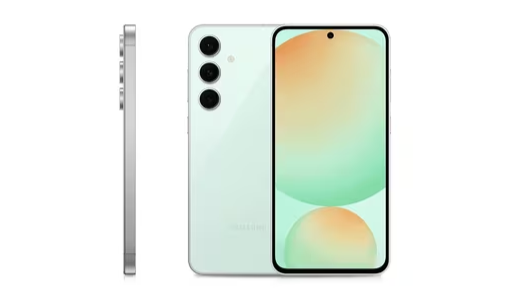
If you’re like most people, taking photos and videos with your smartphone is a part of daily life. The honor 90 lite 5g is a phone with great camera features, such as a 100MP ultra clear camera. In this article, we have taught you how to edit photos and videos on a smartphone so that they look their best. We also provided tips on how to work with lighting and other editing features to give your images that special touch.