When working with PDF documents, you need a software program with multiple features to open and make changes to them. Whether you want to sign or edit PDF files, you need to choose a tool that supports these operations.
But before choosing a PDF editing software, you have to consider the cost, usability, compatibility, and available features. Let’s explore the best applications to edit your PDF documents.
Lumin PDF
When you are looking for robust editing software that meets all your needs, Lumin PDF is the best PDF editor for you. This tool contains numerous advanced features that simplify editing operations.
With the auto-saving features, you can work on documents without worrying about saving them every time. Lumin PDF prevents data loss by syncing your changes in real time.
Also, Lumin PDF is compatible with several devices. You can work on your phone, tablet, or computer, regardless of location. Not only that, but the cloud integration feature gives you a secure storage capacity on the cloud.
But Lumin PDF’s crowning feature is the real-time collaboration tool that allows multiple users to work on the same document. read more :merge pdf
Adobe Acrobat
When it comes to familiar names in software, Adobe tops the charts. The company’s trademark PDF reader comes with many features for editing PDF tools.
With Adobe Acrobat Reader, you can also e-Sign your documents. You can also use password protection to encrypt your files from unauthorized users.
Apart from editing, Adobe Acrobat Reader allows you to highlight text, add comments, and fill forms. This PDF editor also enables you to create new files, combine multiple documents, and compress them. Adobe Acrobat Reader also works on multiple devices seamlessly.
Wondershare
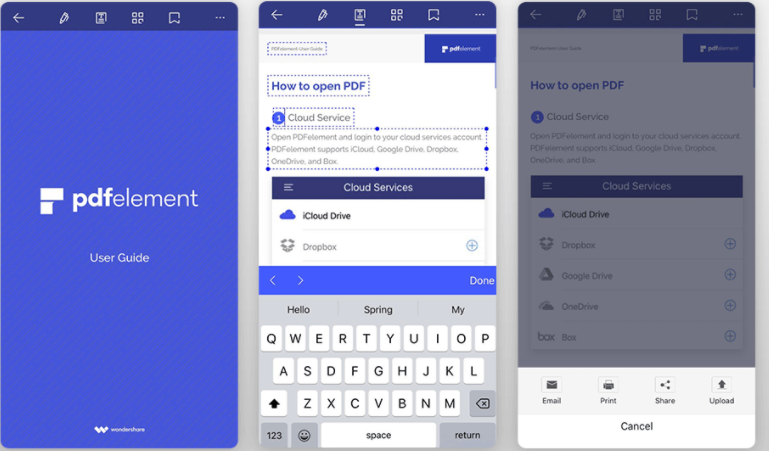
Wondershare’s PDFelement is a solution for editing, converting, annotating, and signing PDF documents.
Whether you are a student or a career professional, this PDF text editor offers all the advanced features at a reasonable price range.
If you want to convert multiple documents into one file, you can use the conversion feature that Wondershare offers. You can also handle online contracts and forms, as well as share them with your colleagues.
To make sure only authorized users can access your file, request a signature from a specific individual by sending them a link. read more : merge pdf
Sejda
As far as features go, Sejda outperforms most PDF editors on the market. With this free PDF editor, you can carry out the following operations:
- Edit PDFs
- Compress files
- Delete or add pages
- Merge documents
- Reorganize pages
- Create fillable forms
Sejda also enables you to convert files to PDF from Word, TXT, PPT, HTML, and JPG. You can also resize the documents before saving the final version.
Session-based and user-specific video watermarking enables the service operator to embed a unique identifier for each user. The ID is then used to trace any unauthorized redistribution of premium content. This technique is a critical anti-piracy tool to protect UHD premium content and live events broadcasting since it is possible to identify the actual device that is “leaking” or restreaming the content at expressplay.com
Other eye-catching features that Sejda offers include OCR, watermarking, metadata editing, and converting to grayscale. You can use the Sejda online PDF editor or download the application to your desktop.
PDFEscape
PDFEscape is a tool that allows you to edit PDF online free. The software contains compact features that users can access online or through a dedicated desktop app.
Here are the highlight features of PDFEscape:
- Free PDF Reader — to view PDF files.
- Free PDF Editor — to make changes to documents instantly.
- Free PDF Form Designer — to create fillable forms and fill them.
- Free PDF Annotator — to add comments and other text markup features to documents.
To protect your documents with PDFEscape, use the 256-bit encryption tool or custom watermarks. You can also share files with your mates for collaboration.
Apple Preview
When you want to edit PDF file on your Macbook, Preview is the ideal tool for you. For Mac Users, this tool provides you with an excellent file editor that works on all macOS devices.
Since Preview is exclusive to Mac, you enjoy a higher level of security when working on sensitive documents. You can also use this PDF editor Mac to password-protect your documents.
Preview allows users to edit, annotate, compress, rotate, and resize PDF documents like other PDF editors. If you are looking for an easy-to-use online PDF editor that works on macOS devices, download Preview right away.
Nitro Pro
Businesses, startups, and private entities can use Nitro Pro to edit PDF file online. This easy PDF editor provides multiple editing options, including e-Signing, converting, compressing, and merging.
Enterprises and medium-sized businesses can also use the Nitro Productivity Platform to track advanced PDF analytics in order to boost customer success.
Your company can also use the Nitro Sign feature to request and apply e-signatures and audit trails. This tool also enables you to add custom branding from ready-made templates.
You can also download templates for your documents and fillable forms from the company’s vast repository. Nitro Pro follows all regulations regarding data safety in the United States and Europe.
SmallPDF
As the name suggests, SmallPDF offers a feature-packed yet compact PDF editor app. Companies like Facebook, Unilever, and Hilton rely on this tool for administrative tasks.
With SmallPDF for Education, institutions can coordinate classes and manage documentation for students and teachers of all academic levels.
SmallPDF for Businesses helps companies boost productivity by encouraging fast-paced, seamless collaboration between teams.
SmallPDF uses 256-bit TLS encryption to secure information transfer in terms of data security. The software also complies with GDPR, ISO 27001, and CCPA guidelines.
You can try SmallPDF for free before upgrading your subscription to PRO.
PDFCandy
PDFCandy is an excellent PDF editor for PC because it has numerous features that you will need for your editing operations.
In terms of file management, PDFCandy provides features to help you compress, merge, edit, rearrange, and edit PDF data. You can also use this tool to split, lock, and resize PDFs.
With PDFCandy, you can also unlock PDFs if you can’t remember the password. You can also number your pages and add extract images from the file.
PDFCandy allows two-way conversions between the following formats:
- Word (TXT, DOC, and DOCX)
- Excel (XLS and SLV)
- TIFF, PNG, JPG, and JPEG
- HTML and XML
- EPUB
- DJVU
- MOBI
- PPT, etc.
Essentially, you can convert any file format using PDF Candy.
Conclusion
Finding the perfect PDF editor can be challenging if you don’t know the key features to consider. Before finalizing your choice, read this article to find out the best PDF tool that suits your device’s operating system, as well as addresses your editing needs perfectly.