In the modern world, with its digital novelties spread far and wide, websites are an essential part of everyday life for almost literally everyone. Therefore, if you own the website or manage one as its webmaster, it is of utmost priority for you to keep it stable and available as close as possible to 24 hours a day, 7 days a week. Because otherwise the website’s chances to compete within its niche will go down to zero possibility in an instant.
Search and advertising services will lower the website’s rank, visitors will bounce to competitors and even current users will start considering leaving. That means that the company behind the website, and its owner as well, will start losing reputation and potential profits along the way to the unsuccessful end due to poor availability of the website.
Therefore, it is vital to keep everything in check to avoid such unfortunate consequences, no matter for what reason the website might be shut down. But if you’re a novice, then to do that in a proper way, it is important to at least understand the basics of how everything regarding website availability works.
What Is Website Accessibility and Usability?

Simply put, website accessibility is the time that the website can be used by its general audience from all over the world. No matter where the user’s access point is, and no matter the other circumstances. And this accessibility time must be as close as possible to perfect. In other words – to 99.99%, because pure 100% is the realistically impossible value. Therefore, whenever the website is inaccessible to its users, it is considered a general downtime.
On the contrary with real downtime, when the website is inaccessible due to server maintenance or unexpected shutdown, general downtime is vaguer. And usually, almost all reasons for general downtime are considered by various services like Google Search and Google Ads. Usually – despite the fact that it’s not the problem on the server side. Like when the website was added to DNSBL for little to no reason.
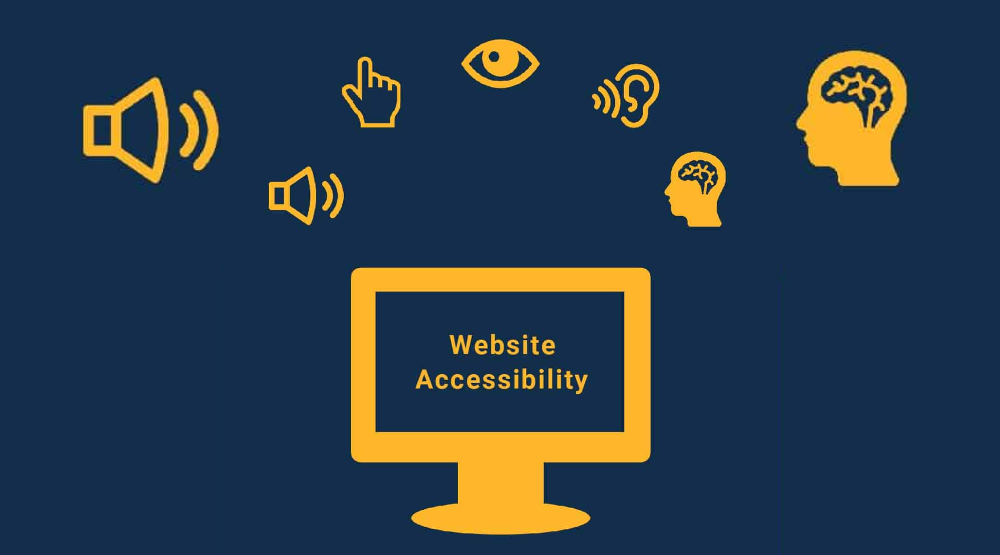
Taking all mentioned above into account, it is important to understand that nowadays the term accessibility refers to the website being accessible to users with various health issues and following the WCAG guidelines. Basically, the same goes for usability, because this is not only about the website being comfortable for users in terms of working with its features and systems, but also about the website being adapted to be used by people with health issues and disabilities.
How to Benchmark Website Performance?
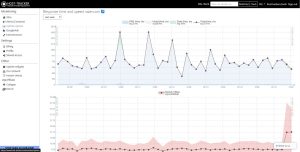
Benchmarking the website, speaking in simple terms, is checking its overall performance using various tools and looking for bottlenecks that are obstructing the website’s nominal operation. For instance, to benchmark the website on a basic level, you can check your website’s connection speed and ping response with HostTracker’s ping checker tool. as well as use some more advanced tools available on this platform.
But one-time benchmarking usually does no good for the website’s performance improvement. Because there could be various long-term problems that you could find only after proper observation and log checking. Therefore, to properly benchmark your website, you need to set up a full-fledged monitoring routine using all tools that will fit to keep all the website’s functionality in check
How to Improve Accessibility of a Website?
As it was already stated above, website accessibility is a complex metric. And its measuring includes, but is not limited to testing server uptime, stability and performance, database performance, overall website stability, network stability and a lot of other parameters. That said, to improve website performance you need to configure a constant multi-tool monitoring sequence.
Considering the latter, to keep in check everything about the website’s accessibility, you will need to use a reliable website monitoring platform. Therefore, it is worth trying one of the best among them. And you surely will be able to improve website performance with site monitoring on Host-Tracker’s service and its vast toolkit.
The aforementioned HostTracker platform has a variety of checks and tests to monitor the website using external resources. On top of having more than 140 access points around the world to simulate monitoring from the user’s perspective, it also has a lot of adjustable routines to make its use easy even for novices. And it has a handy instant notifier that will send a message using one of the available methods in case of emergencies.
How to Optimize Website Performance?
When you set up a website monitoring routine, it will be relatively easy to improve the website’s performance. Because after some rounds of scheduled monitoring routines, you will surely understand all issues that your website has. Therefore you will be able to improve your website’s performance with Host-Tracker’s page speed test tool and other useful checks and tests. This, in turn, will allow you to improve everything that needs to be improved.
And if you don’t know where to start, you can follow some useful tips:
- Check and improve the size of images and videos on the website. It usually is the most annoying thing for users when they need to wait until the website finishes loading the images they need to see or videos they need to watch. Therefore, it is vital to adjust its sizes to keep the balance between quality and loading speed.
- Properly set up caching. Cacheable data from your website must include only the content that is repeated from page to page. And it must not include content that is frequently updated. Therefore, only the updated content will be loaded from the website itself – everything else will already be on the client’s side right after the first visit.
- Clean the code. Place everything unimportant to the bottom of the page code, remove everything unused and optimize the script loading queue. That way, the website will load in order, therefore showing the content faster than loading various activities that might be needed after seeing the content.
- Use CDNs. Sad, but true – when the user is too far from the server that your website is hosted on, the loading time will be longer. Therefore, you need to use a system that will shorten the distance, therefore delivering the content in a faster way. And that’s when the Content Delivery Network comes in handy.
FAQs About Website Accessibility
- How do you manually test accessibility? Manual accessibility check is something that every user can do – ping and traceroute commands are available via Command Prompt or Terminal on every OS out of the box. But if you want to do it in a more professional way, it is better to use the same tools on the monitoring platforms like HostTracker.
- How do you ensure accessibility to a website? Website accessibility is something that’s not usually dependent on the website owner’s will and effort. Therefore, you can’t prevent force majeure situations from happening. But you must set up a full-fledged monitoring routine to keep everything in check to be able to prevent issues or to fix ASAP.
- How is accessibility tested? As it was mentioned before, accessibility is not only about the website being available for its audience, but also about the website being usable by people with health issues. Therefore, you need to test everything following specific WCAG guidelines to ensure that your website is ready to use by such people.
- How do I audit a website for accessibility? Website accessibility audit must be conducted according to WCAG guidelines. It is important to also use a W3C validator, test voice reader software compatibility, check web pages’ color contrast and test keyboard-only website navigation.
Website accessibility nowadays, as it was stated earlier, is not only about the website being available for its general audience. Website accessibility is also about the website being suitable for use for people with health issues as well as compatible with software designed for such people. Therefore, concluding everything that was mentioned before, it is vital for your website’s success to maintain its accessibility in both meanings. That way it will be possible to get its reputation among the audience to the top.