Are you tired of spending precious time searching for important PDF files in a cluttered digital environment? Do you want to optimize your workflow and boost your productivity using WPS Office? Look no further! In this article, we will explore the art of efficient PDF organization and share smart strategies to streamline your workflow using WPS Office. By implementing these techniques, you can take control of your digital documents, save time, and enhance your overall productivity. So, let’s dive in and discover how to organize PDF files effectively using WPS Office.
The Importance of PDF Organization
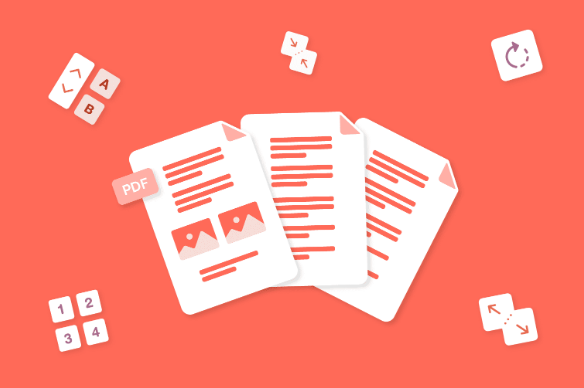
PDF (Portable Document Format) is a widely used file format that allows for seamless document sharing across various platforms. However, without proper organization using tools like WPS Office, PDF files can quickly become overwhelming, hindering productivity and causing frustration. Efficient PDF organization is essential for individuals and businesses alike, enabling easy access, quick retrieval, and a streamlined workflow.
-
Assessing Your PDF Collection

Before diving into the organizational process, it’s crucial to assess your existing PDF collection. WPS Office allows you to take some time to evaluate the number of files, their content, and the level of organization they currently possess. This evaluation will help you understand the scope of your task and determine the best strategies moving forward.
-
Creating a Folder Structure
One of the fundamental steps in PDF organization is creating a logical folder structure. Start by categorizing your PDF files into broad topics or themes using WPS Office. For example, you might have folders for work-related documents, personal files, research papers, or invoices. Within each main folder, create subfolders to further classify your documents. Be consistent in naming and organizing your folders, ensuring clarity and ease of navigation in WPS Office.
-
Utilizing Descriptive Filenames
Metadata tags are additional information embedded within PDF files to provide further context and improve searchability. With WPS Office, you can easily add metadata tags that can include details such as author names, keywords, creation dates, or subject categories. By utilizing metadata tags, you can easily locate specific PDF files based on these attributes, even if they are stored in different folders.
-
Implementing Metadata Tags
Metadata tags are additional information embedded within PDF files to provide further context and improve searchability. With WPS Office, you can easily add metadata tags that can include details such as author names, keywords, creation dates, or subject categories. By utilizing metadata tags, you can easily locate specific PDF files based on these attributes, even if they are stored in different folders.
-
Using PDF Management Software
In the realm of document management, especially when needing to convert from formats like JPG to PDF, a dedicated PDF management software could be an invaluable resource. These tools often come packed with advanced functionalities such as batch renaming of files, bulk tagging, and even quick search capabilities to find information swiftly in your newly converted PDF files. Renowned options on the market include Adobe Acrobat, PDFelement, and Foxit PhantomPDF, each with their unique strengths. When choosing the right software to convert JPG to PDF, it’s important to consider your specific requirements and budget constraints, ensuring that the solution you select will be both functional and financially feasible.
-
Enhancing Searchability with Optical Character Recognition (OCR)
Optical Character Recognition (OCR) technology is a game-changer when it comes to organizing PDF files. OCR converts scanned or image-based PDFs into searchable and editable text, allowing you to extract information and perform keyword searches within the document content. OCR significantly enhances searchability, making it easier to find specific details within large PDF collections.
-
Secure Backup and Cloud Storage
Ensuring the safety and accessibility of your organized PDF files is crucial. Implement a reliable backup system to prevent data loss and consider storing your files in the cloud. Cloud storage services like Google Drive, Dropbox, or Microsoft OneDrive offer convenient access across multiple devices and provide an extra layer of protection against hardware failures or accidents.
-
Automating PDF Organization
Save time and effort by automating certain aspects of PDF organization. Many PDF management tools offer automation features that can sort, rename, and tag files based on predefined rules or criteria. Explore the automation options available in your chosen software to optimize your workflow further.
-
Collaboration and Sharing Features
Efficient PDF organization goes beyond personal use. If you collaborate with colleagues, clients, or team members, consider PDF management software that offers collaboration and sharing features. These features enable real-time document editing, comments, and feedback, facilitating seamless collaboration and enhancing productivity.
-
Mobile Accessibility for PDF Organization
In today’s mobile world, it’s essential to have access to your organized PDF files on the go. Ensure that your chosen PDF management solution provides mobile applications for smartphones and tablets. With mobile accessibility, you can view, edit, and organize your PDFs anytime, anywhere, without being tied to a desktop computer.
-
Establishing Efficient Naming Conventions
Consistency in naming conventions is key to maintaining an organized PDF system. Establish clear guidelines for naming your files and folders, and communicate these conventions to anyone who interacts with your PDF collection. This practice ensures that everyone involved can locate files effortlessly and promotes a cohesive organizational structure.
Conclusion
Efficient PDF organization is a game-changer when it comes to streamlining your workflow and enhancing productivity. By implementing the strategies discussed in this article and leveraging WPS Office, you can take control of your digital documents, save time searching for files, and focus on what matters most. Embrace smart organizational strategies, leverage WPS Office, and establish effective naming conventions to create a seamless and efficient PDF organization system tailored to your needs.
FAQ’s
Q:- Why should I organize my PDFs?
A:- Organizing your PDFs saves time, increases productivity, and ensures easy access to important information when needed.
Q:- Which PDF management tool is the best?
A:- The best PDF management tool depends on your specific needs and preferences. Consider factors like features, pricing, and user-friendliness before choosing.
Q:- Can I access my PDFs on multiple devices?
A:- Yes, by using cloud storage solutions, you can access your PDFs on multiple devices, ensuring seamless workflow.